Educational travel case study · StudyTours
Designing an educational travel booking system from scratch
StudyTours organises educational trips in partnership with schools. I designed the system that connects everyone involved: parents who book and pay through a personal invitation link, group leaders who follow their group’s bookings, and the StudyTours team who manage programmes, bookings and accommodation.
Explore the design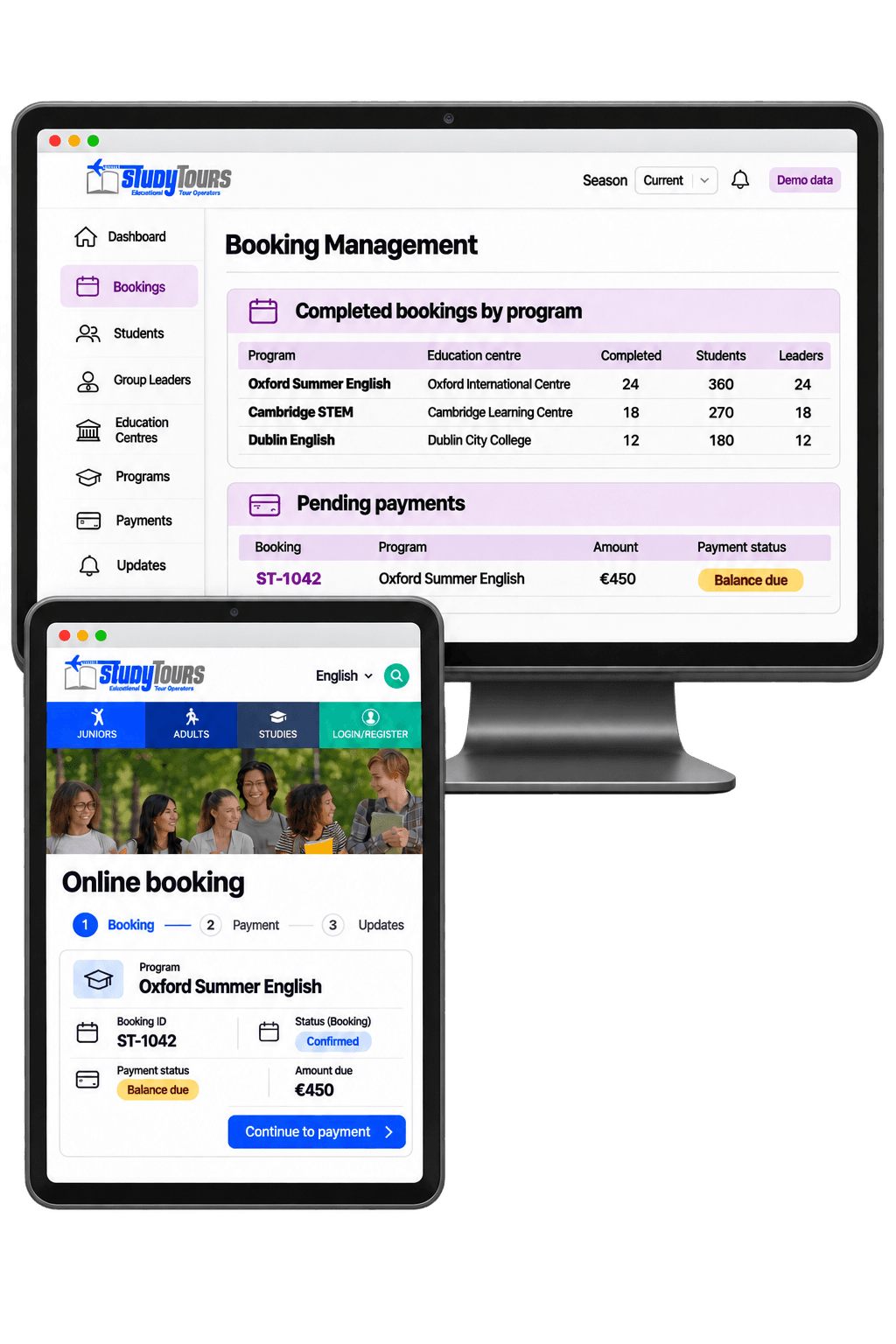
My role
UX design, journey mapping and information architecture across the parent booking flow, the group leader profile and the admin platform.
Users
Parents · Group leaders · StudyTours administrators
Scope
Invitation-based booking · Instalment payments · Group leader profile · Admin platform
The challenge
One trip, three different users
Bookings don’t start on a public website. A partner school shares the list of students who want to join a trip, and StudyTours invites each family by email with a personal link. The parent needs to understand the programme, register their child and pay in instalments. The group leader needs to see which students in their group have completed their booking. The StudyTours team needs full control over every booking, programme, group leader and accommodation.
I designed the three experiences together, so each person sees only what they need while everyone works from the same booking data.
The process
How I designed it
01 · Map the journey from school list to payment
I mapped the flow from the school’s list of students to the invitation email, the personal booking link, the student’s details and the instalment payments, so every booking starts from a known student and trip.
02 · Define what each role needs
I defined what parents, group leaders and administrators each need to see and do: parents complete one booking, group leaders follow their group’s status, and administrators manage the whole operation.
03 · Separate booking progress from payments
A booking can be confirmed while instalments are still due. I kept booking status and payment status apart, so the team can see which bookings are complete and which payments need follow-up.
Three design decisions
One booking, seen from every side
Each role’s tasks were first mapped as low-fidelity wireframes, so the flow and the information on each screen could be agreed before any visual design.
01 · Parent
Book through a personal invitation link
Parents don’t search for a trip. They receive an email with a custom link that opens the booking for their child’s programme. They enter the student’s details, see the full programme information, for example a 7-day educational trip to England, and pay in instalments.
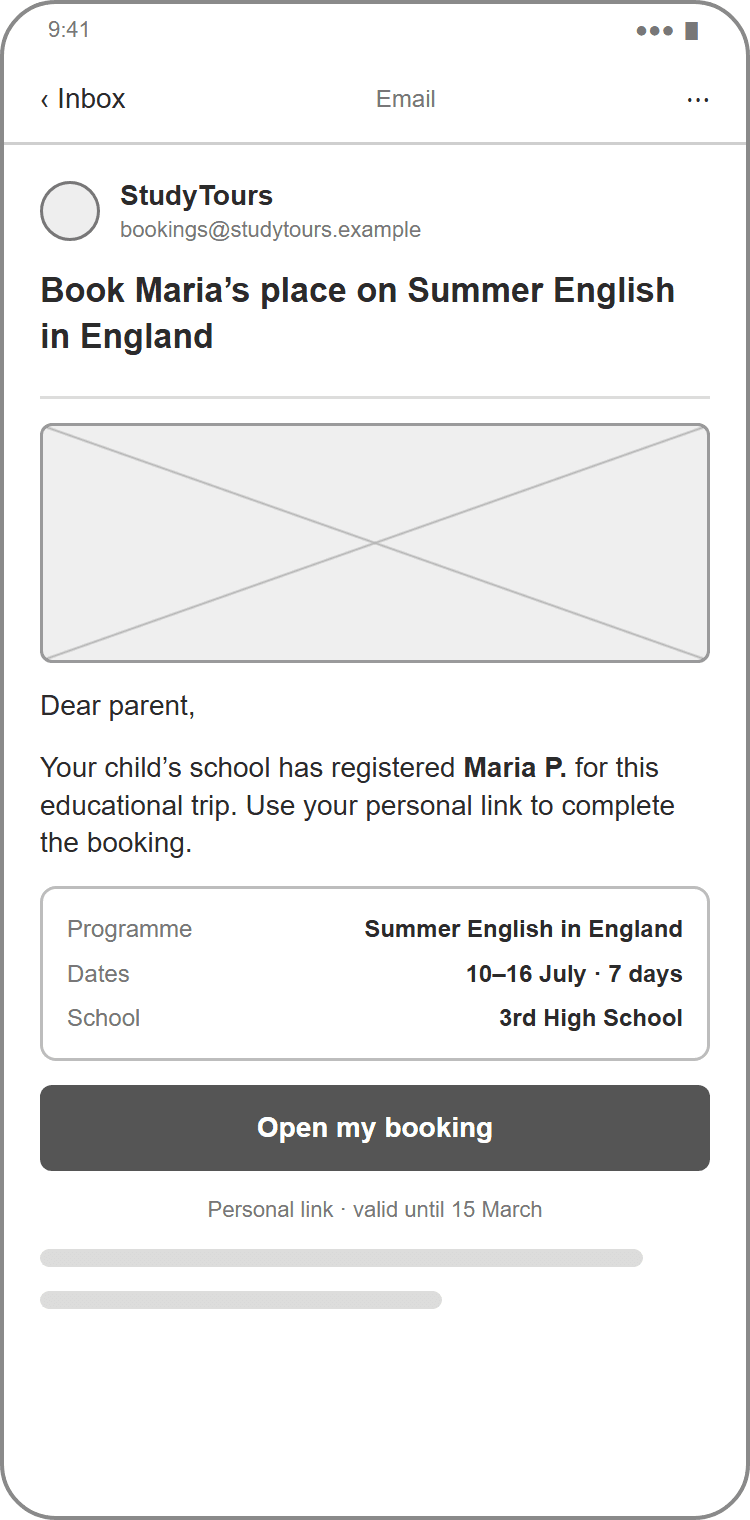
1 · Invitation email 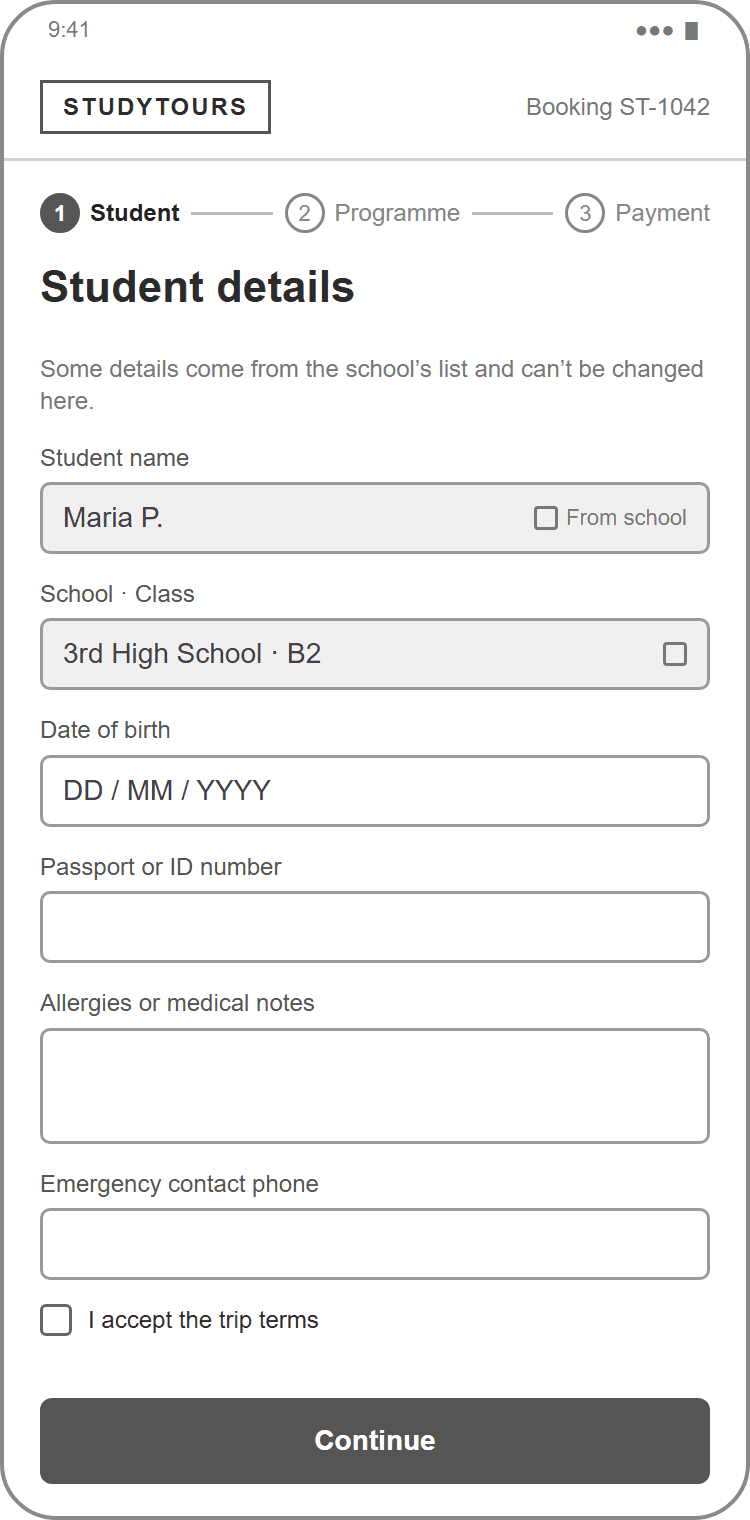
2 · Student details 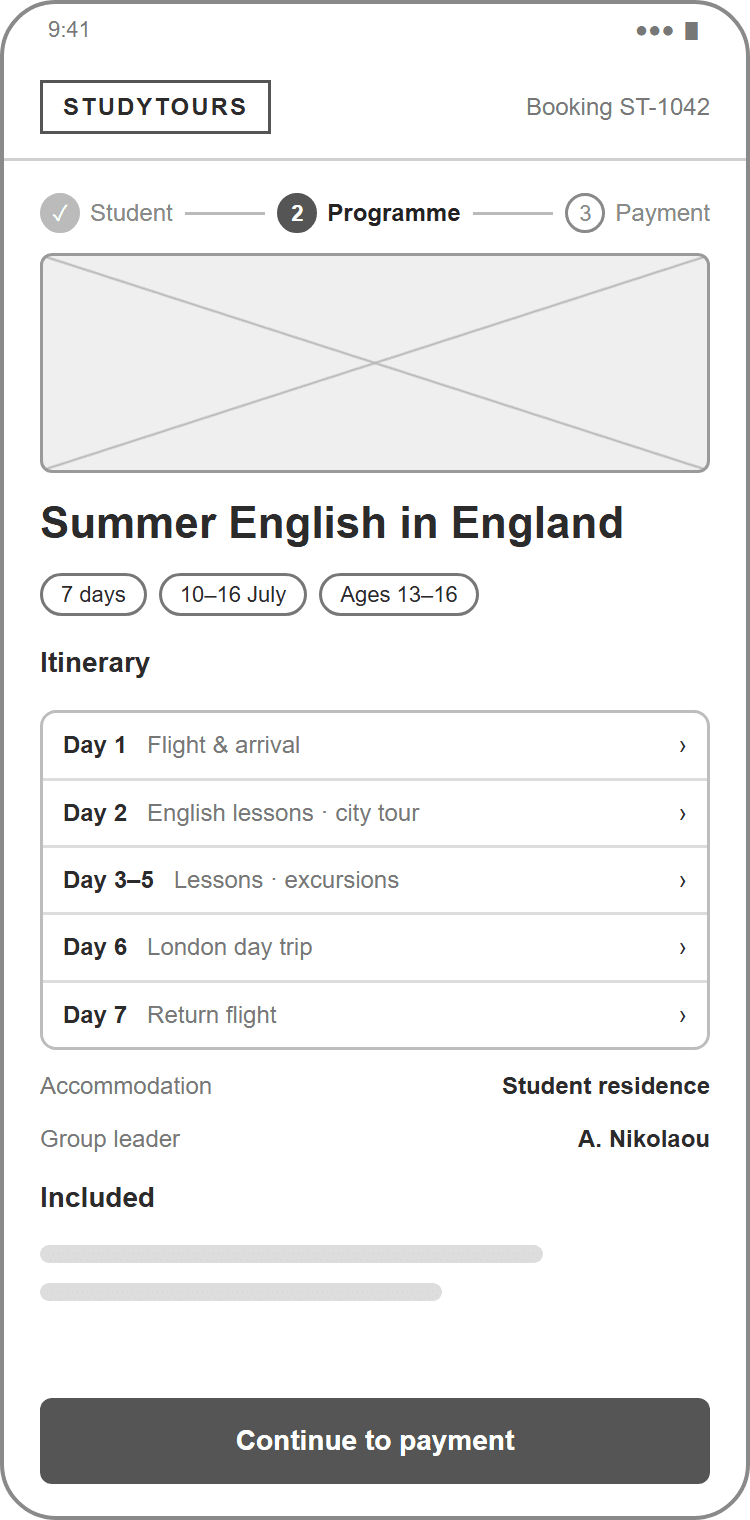
3 · Programme information 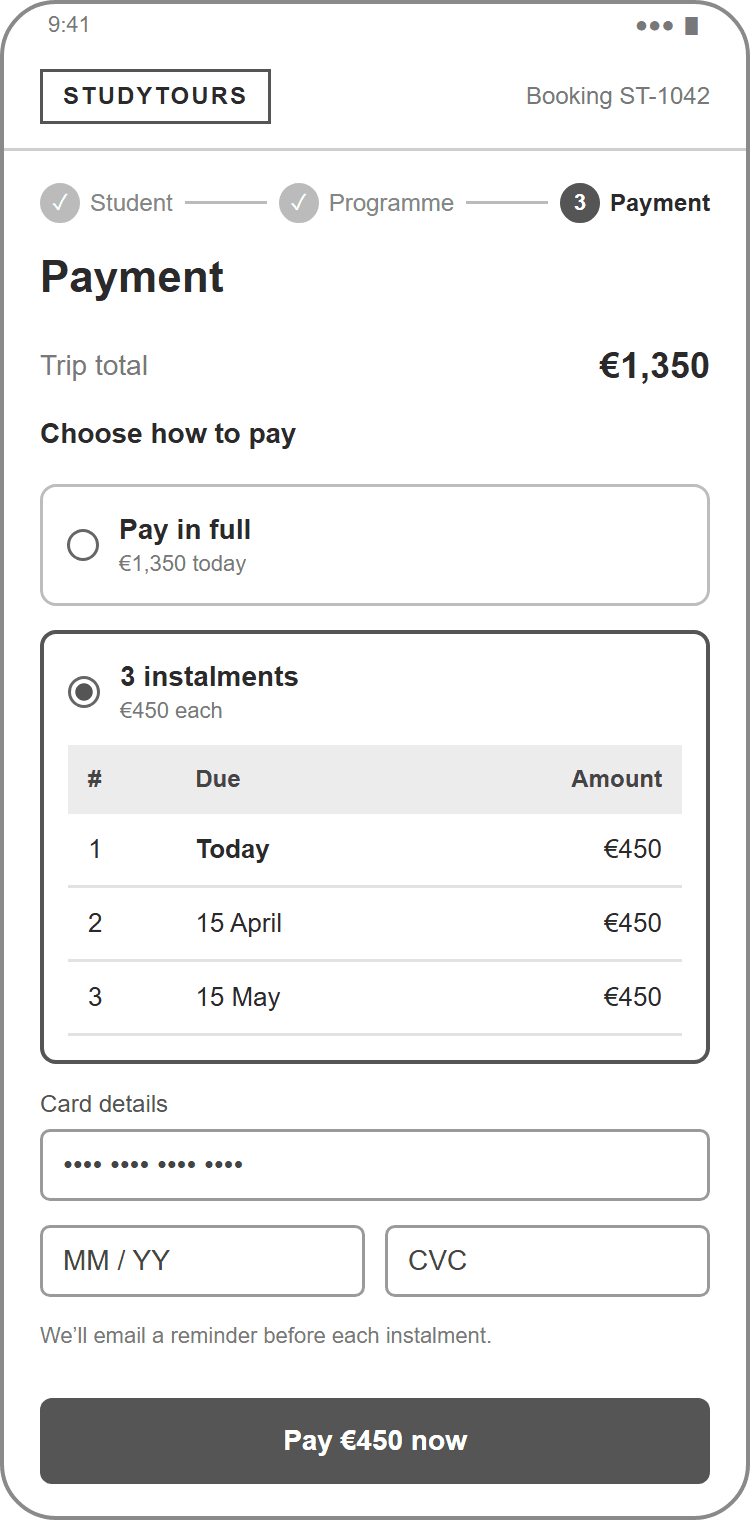
4 · Instalment payment 02 · Group leader
Show the group’s booking status at a glance
Group leaders have their own view-only profile. Summary counts and filters show how many students have completed their booking, who is still missing details and who hasn’t started, without access to the rest of the platform.
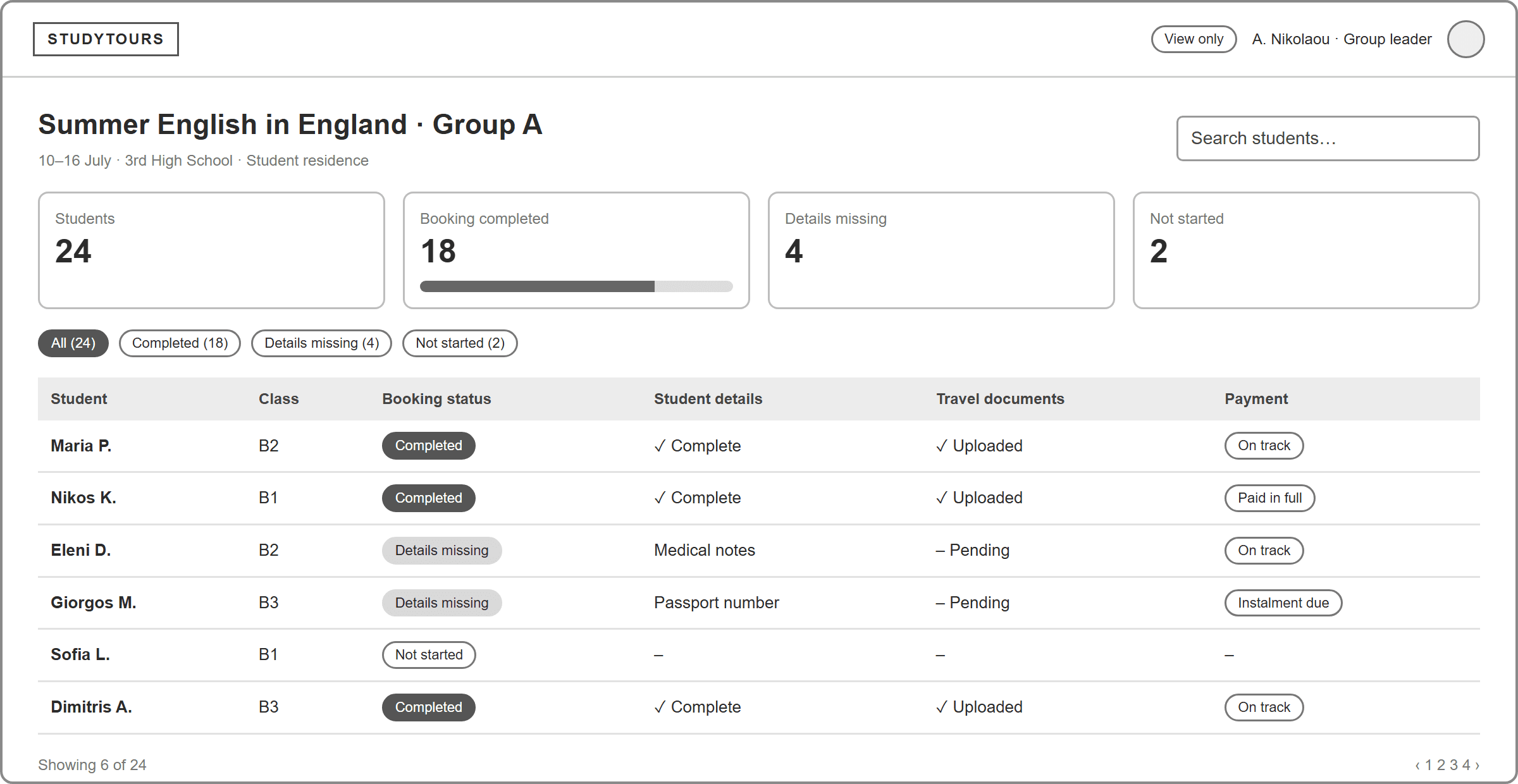
Group leader profile · low-fidelity wireframe 03 · StudyTours team
Give administrators full control
The admin platform brings together bookings, programmes, group leaders, accommodation and more. Completed bookings and outstanding instalments are tracked separately, so the team knows exactly who still needs a reminder, and accommodation shows how students and leaders are assigned to rooms.
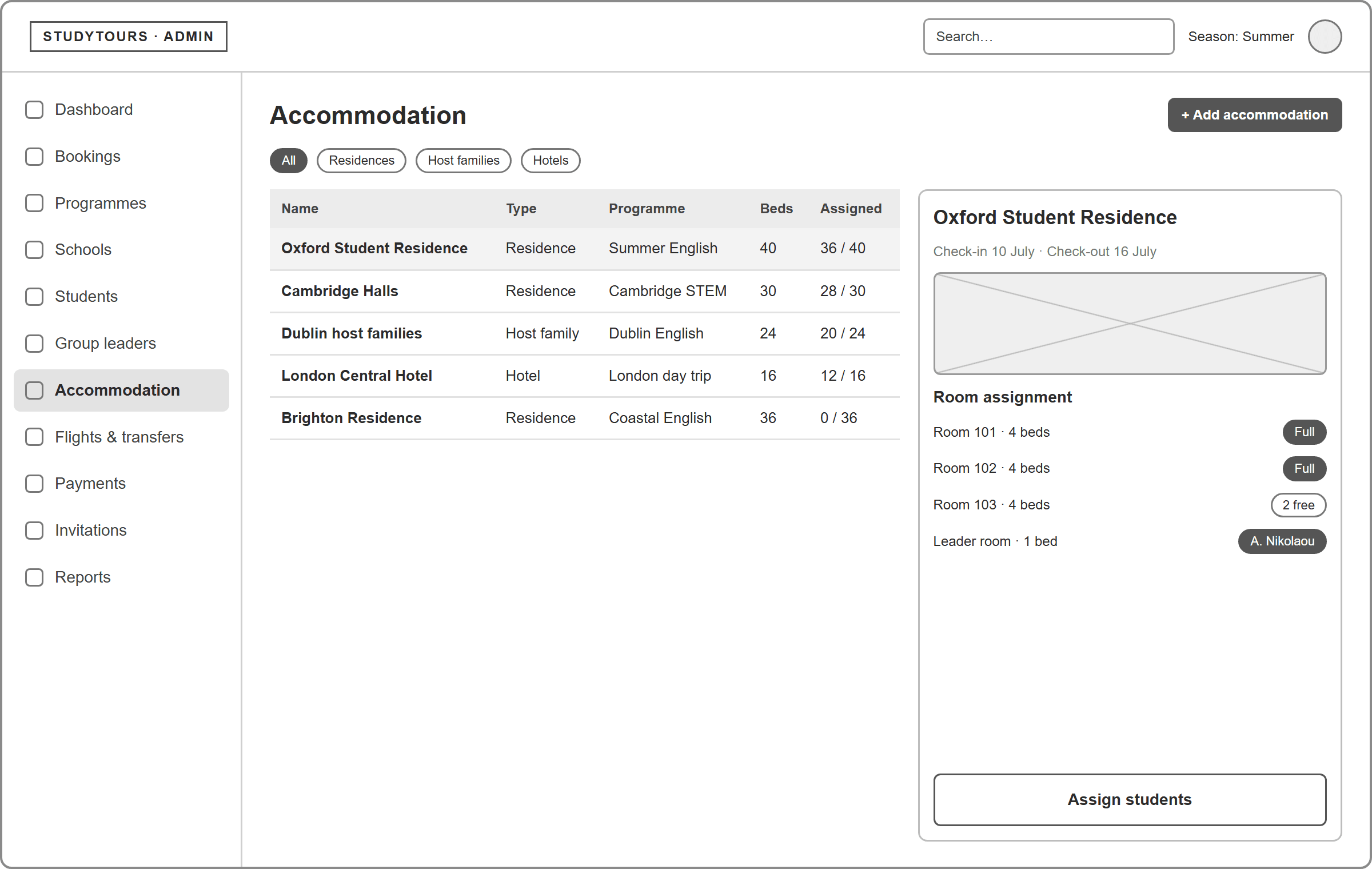
Accommodation · low-fidelity wireframe 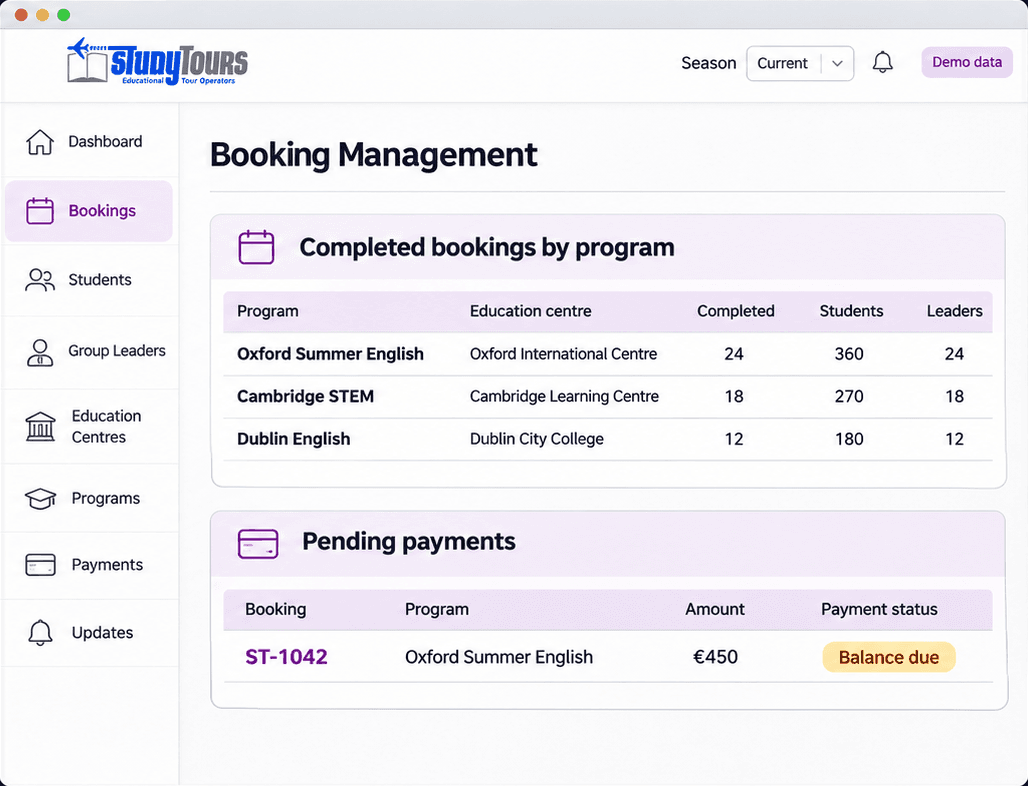
Booking management · final mockup
Delivery
What I delivered
Parent booking journey
Invitation link, student details, programme information and instalment payments.
Group leader profile
A clear view of the booking status for every student in the group.
Admin platform structure
Management of bookings, programmes, group leaders, accommodation and payments.
Illustrative mockups using fictional booking data. The same booking reference appears on the parent’s and the team’s screens to show how the experiences connect.
Next case study
Rethymno Hospital
Appointments, surgery and patient records.