Rethymno Hospital · Ophthalmology Department
Designing a workspace for eye clinic staff
A web application for managing clinic appointments, scheduling surgery and accessing patient records. I worked with the client to define what staff needed to do and how access should differ by role.
Explore the design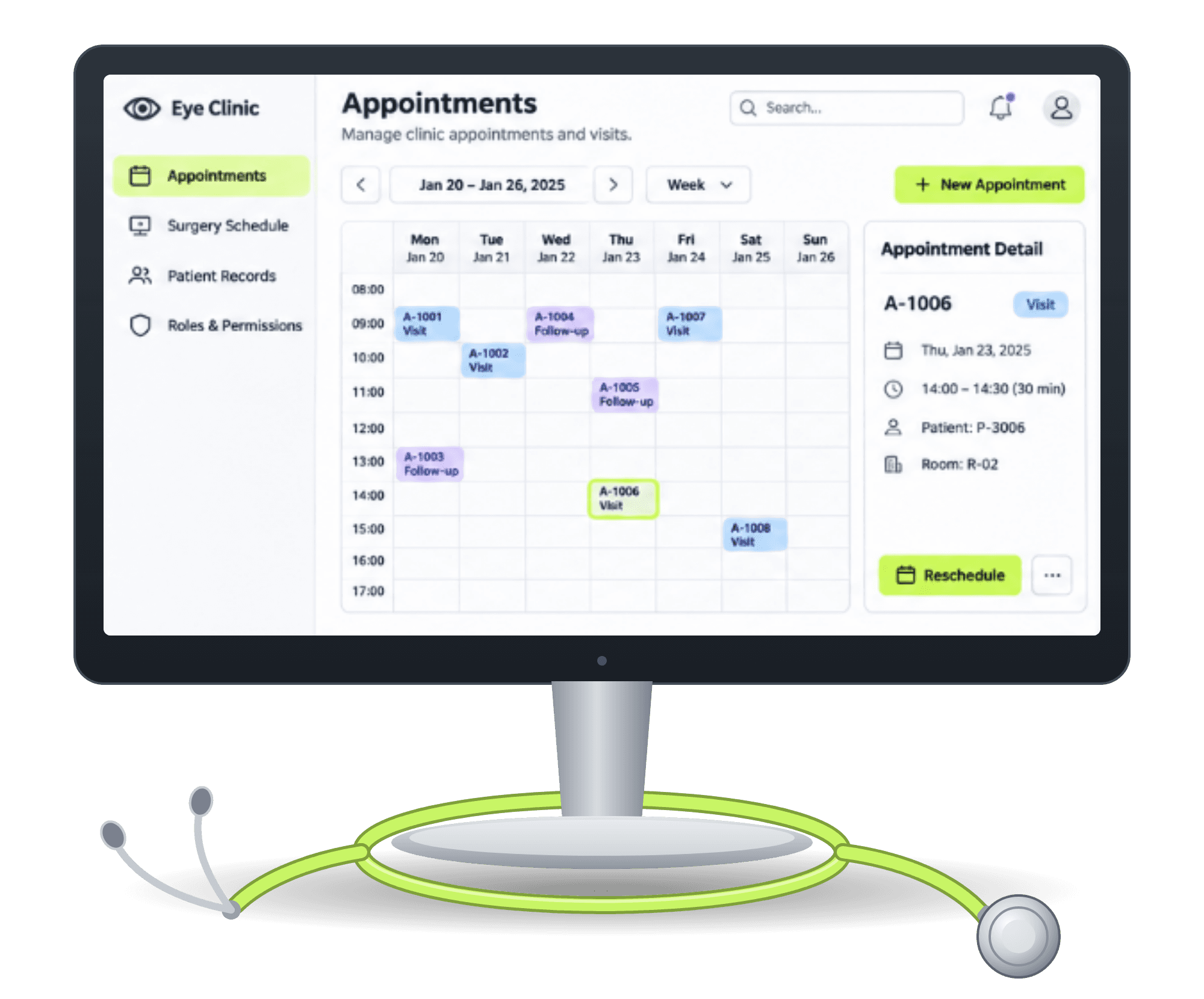
My role
Client coordination, requirements gathering and UX design proposals.
Users
Medical staff in the ophthalmology department.
Scope
Clinic appointments · Surgery scheduling · Patient records · Role-based access
The challenge
What does each member of staff need to see and do?
Booking a routine visit, scheduling surgery and opening a patient record each require different information and actions. The application needed to give each workflow a clear place while accounting for what different staff roles could view or edit.
The process
From conversations to requirements
01 · Understand the clinic’s needs
I organised discussions with the client to understand the tasks the application needed to support in the clinic’s day-to-day work.
02 · Document the requirements
I grouped the requirements by workflow and captured where viewing and editing permissions needed to differ by staff role.
03 · Propose the application structure
I translated those requirements into proposals for the main sections, the information each screen needed to show and the actions available to staff.
Three design decisions
Give every workflow a clear place
01 · Navigation
Separate clinic appointments from surgery scheduling
I proposed distinct sections for routine visits and surgery scheduling, so staff could go directly to the schedule relevant to their task.
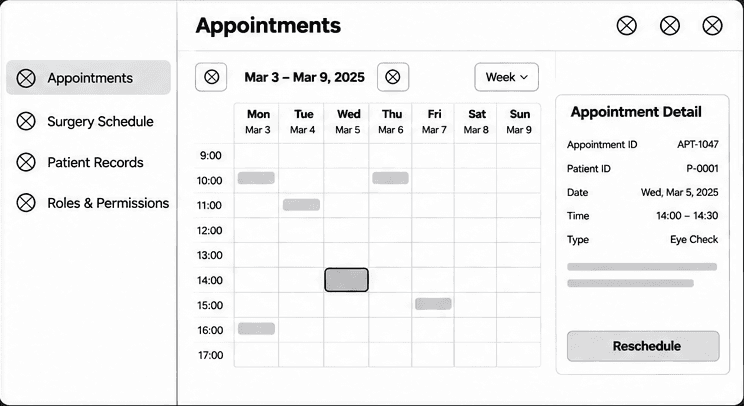
Appointments 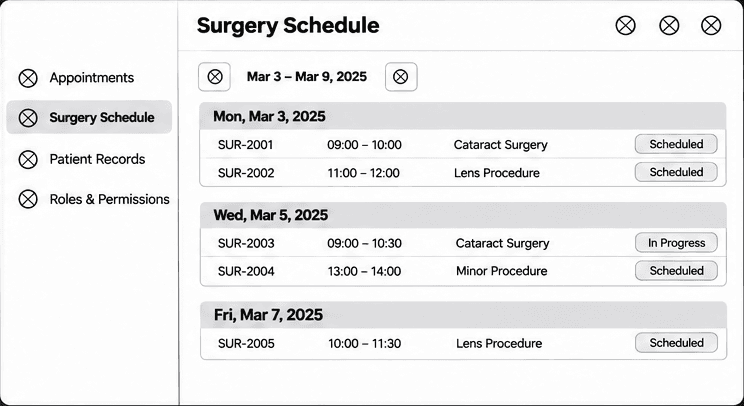
Surgery schedule 02 · Appointments
Keep the schedule visible when opening an appointment
The portfolio mockup illustrates this with a weekly calendar alongside the selected appointment’s details. Staff can see the time, visit type and status while keeping the wider schedule in view.
Weekly calendar with appointment detail 03 · Roles & permissions
Define access alongside the workflows
I considered what each role needed to view or edit across appointments, surgery scheduling and patient records. The illustrative permissions matrix makes that distinction visible at a glance.
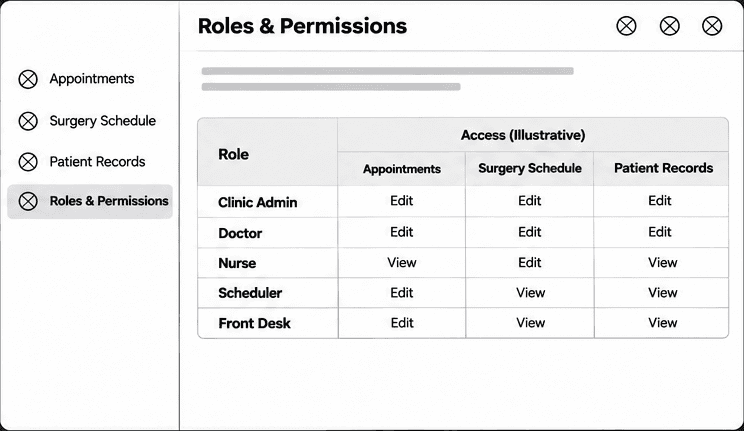
Illustrative permissions matrix
Delivery
What I delivered
Documented requirements
Requirements for clinic appointments, surgery scheduling, patient records and user permissions.
UX proposals
Proposals for the application’s structure and staff workflows, including where view and edit access needed to differ.
Portfolio wireframes and mockups are illustrative reconstructions using fictional data. The permissions shown are examples.
Next case study
La Vie en Rose
Product discovery, checkout and gift rewards.